Save your program & help
“Start moving” turns on the drive motors. They keep running during “wait until” and after the end of the stack. “Stop moving” turns them off. A new movement command replaces the current one. When steering, the outside drive wheel counts its actual rotations. You can use 0.5 for half a rotation. Select the steering value to open the wheel. Use the arrow to choose forward or reverse. With the same steering setting, reversing turns the robot the other way. “Move” counts wheel rotations and stops at the end. “Start moving” keeps the motors running. “Set speed” changes the speed. A new program starts at 50%.
Fit the Sensing block into “wait until” and choose a colour. In the Training Arena, select “Alone” to try any starting move and watch the floor sensor. The run ends when any part of your robot touches the barrier. With a practice opponent or in the Online Arena, first drive straight forward to the black line.
Your program is saved on this device. To use it on another device, save a copy as a file.
Robot & colour
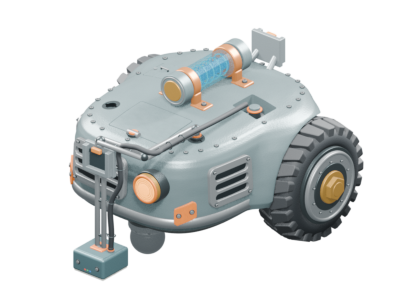
Two motors drive the tracks independently. Tracky is stable and has good grip, but moves more slowly and takes more effort to turn.
Wheels & tyres
Choose tyres to suit your robot and program.
Drive
Choose the transmission that suits your driving program.
Motor gearGear to the wheelThe drive is inside the robot.
Queue
The queue is empty.
Leaderboard
No players yet
Loading the room …
Programm anzeigen
Loading the arena …
How a match works
The white arena has a black guide ring and a raised outer barrier. The front colour sensor points down. In the first match, the robots start back to back. If the Online Arena match ends in a draw, they can play one rematch starting side by side and facing opposite ways.
A robot loses if it touches the barrier or stays on its side or back. If neither robot wins within 45 seconds, it is a draw.
The wheels can spin forward while a robot slides backward. The force the tyres can transfer depends on their grip and load.
Use the black line to decide when to turn. There is 14.4 cm of white floor between the outer edge of the black ring and the inside edge of the barrier. A wheel, sensor or fixed part touching the barrier counts as a loss. Smoke does not count. If both robots go out at the same time, it is a draw. Physical robots may behave differently. The simulation is still being tuned.